Checked November 12, 2026 against support.claude.com and claude.com/pricing (US prices). This is a documentation-based explainer, not a hands-on test.
Quick verdict
Two clocks: paid Claude plans have a session limit that resets every five hours and a weekly limit. Verified Ultra accounts skip the five-hour limit.
One shared pool: chats on claude.ai, Claude Code and Claude Desktop all count toward the same limits.
Hitting the wall often: Max ($100, 5x Pro) and Ultra ($200, 10x Pro weekly) raise the ceiling. Usage credits let you keep going at API rates instead.
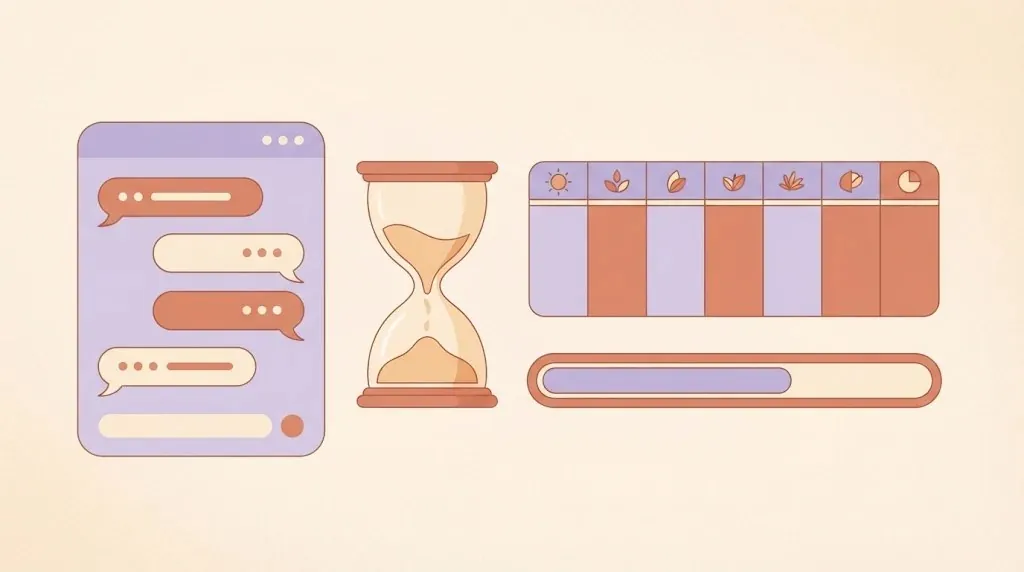
Illustration: AI Tool Audit, created with Google Gemini
On this page
Usage limits vs length limits
Claude has two kinds of limits, and they are easy to mix up.
- Usage limits cap how much you can use Claude over time. These are the "you've reached your limit" messages.
- Length limits cap how long one conversation can get. This is the context window, or Claude's working memory for a single chat.
Most of this guide is about usage limits, because those are the ones that decide which plan you need.
The five-hour session limit
Anthropic's help center says paid plans have a session limit that resets every five hours. The window starts with your first message, not on a fixed clock. If you send your first message at 9 a.m., that session resets five hours later.
You can see what's left under Current session in Settings > Usage. Verified accounts on the Ultra plan have no five-hour limit at all.
The weekly limit
On top of the session limit, there's a weekly limit that applies across all models. Some plans also have a separate weekly limit for one model family, Fable. Your weekly reset time is fixed to your account, and you get your full allowance each cycle.
In practice, the five-hour limit stops a long burst of work. The weekly limit stops steady heavy use spread over several days. Heavy Claude Code users tend to notice the weekly one.
Plans and their allowances
Anthropic doesn't publish message counts. The pricing page describes each plan relative to Pro.
| Plan | US price | Five-hour limit | Weekly limit |
|---|---|---|---|
| Free | $0 | Limited usage | Limited usage |
| Pro | $20/month, or $17/month billed annually ($200/year) | More usage than Free | More usage than Free |
| Max | $100/month | 5x Pro usage | 5x Pro usage |
| Ultra | $200/month | None for verified accounts | 10x Pro usage |
The pricing page also says how fast you hit a limit depends on the model you use, chat length and file size. For plan features beyond usage, see our Claude plans explainer.
What uses up your allowance
Usage isn't counted per message. The help center lists several things that change how much each request costs:
- Conversation length and complexity. Long, complex threads cost more per reply.
- Model choice. Some models use more of your allowance than others.
- Effort level and thinking. Higher effort uses more.
- Features and tools. Connectors, web search and file work add to the cost.
- Where you use it. Claude Code, Claude Desktop and claude.ai all draw from one limit.
That last point surprises many people. If you code with Claude Code in the morning, you'll have less left for chat in the afternoon. Our Claude Code usage limits guide covers the coding side in more detail.
Length limits (context window)
The context window depends on the model. On paid plans, the newest models support up to 1M tokens. Others support 500K or 200K. Part of the window is kept free for Claude's reply.
With code execution turned on, Claude can summarize earlier messages in a long chat to make room. Your full history is kept, but those long chats use more of your usage limit.
Usage credits and bundles
If you hit a limit on Pro, Max or Ultra, you don't have to wait. You can turn on usage credits in Settings > Usage. Claude then keeps working and bills the extra at standard API rates, as a separate charge from your subscription. You can set a monthly spending cap, turn on auto-reload, and get usage alerts. Credits apply to both chat and Claude Code.
Usage bundles are prepaid credits at a discount. They are available on Pro, Max, Ultra and Team plans, once usage credits are on.
| Bundle value | You pay | Discount |
|---|---|---|
| $50 | $45 | 10% |
| $250 | $200 | 20% |
| $1,000 | $700 | 30% |
Individual subscribers can buy up to $2,000 of discounted bundles a month. Bundles are non-refundable, and when they expire depends on your plan and where you live.
How to make your limits last longer
- Start a new chat when a thread gets long, instead of carrying old context forward.
- Use Projects, which load only relevant content, and keep project instructions short.
- Remove project files you no longer need.
- Turn off extended thinking, or lower the effort level, for routine tasks.
- Disable connectors and tools you aren't using, and skip web search when you don't need fresh information.
Which plan should you choose?
- Stay on Pro if you hit the five-hour limit only now and then. Waiting or buying a small bundle costs less than upgrading.
- Move to Max if you hit limits most days, or use Claude Code for hours at a time.
- Move to Ultra if the five-hour limit itself is the problem. It's the only plan without one, for verified accounts.
- Use credits if your heavy weeks are rare and you'd rather pay for the overflow.
Comparing chatbots? See Claude vs Gemini plans and the AI tool price table.
FAQ
When does the Claude usage limit reset?
The session limit resets five hours after your first message in that session. The weekly limit resets at a fixed time tied to your account.
Do Claude Code and the Claude app share limits?
Yes. Anthropic says usage from claude.ai, Claude Code and Claude Desktop all counts toward one limit.
Does Claude Ultra have a usage limit?
Verified Ultra accounts have no five-hour limit, but there's still a weekly limit set at 10x Pro usage.
What happens when I hit my limit?
You wait for the reset, or you turn on usage credits. Credits keep Claude working and are billed at standard API rates, up to the spending cap you set.
Sources
- Claude Help Center: Usage and length limits (checked November 12, 2026)
- Claude Help Center: Manage usage credits for paid Claude plans (checked November 12, 2026)
- Claude Help Center: Buy usage bundles (checked November 12, 2026)
- Claude pricing (checked November 12, 2026)