Checked November 12, 2026 against the Perplexity help center, perplexity.ai/hub and Perplexity's pricing (US prices). This is a documentation-based explainer, not a hands-on test.
Quick verdict
Name change first: Perplexity says plainly that "Spaces are now Projects." Old Spaces moved over automatically, with threads and files intact.
What you get: a private workspace that keeps your files, instructions, searches and tasks together, with up to 10,000 files and 5 GB of storage per Project.
Who it suits: anyone who returns to the same topic again and again: a class, a client, a research question or a team project.
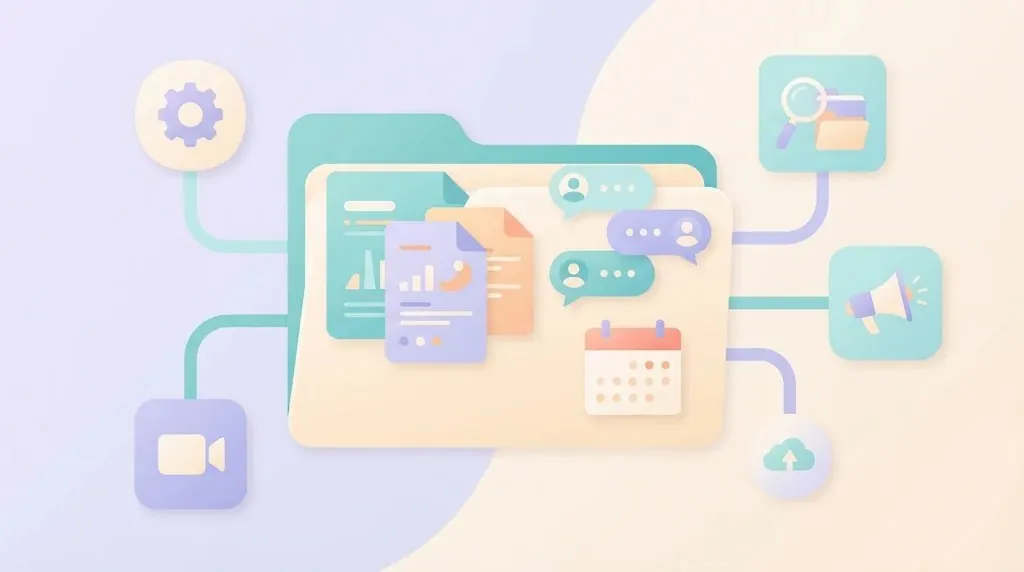
Illustration: AI Tool Audit, created with Google Gemini
On this page
What Spaces were, and what Projects are now
Perplexity launched Spaces as a place to group related threads, upload your own files and give the AI standing instructions for one topic. If you used Spaces before, nothing was lost. Perplexity's Projects page says existing Spaces migrate on their own, and your threads, files and history carry over.
Projects keep that core idea and add more. Perplexity describes a Project as one place to manage, create and work on tasks, with a shared file system and memory that lasts between sessions. In practice, a Project holds five kinds of things:
- Files you upload, import as folders, or copy in from connected apps.
- Instructions that tell Perplexity how to behave in this Project, up to 8,000 characters.
- Threads and tasks, including Computer tasks, all kept in one list.
- Memory, which Perplexity calls Brain. It updates between tasks based on the Project's files and sessions.
- People you invite, each with a role.
Limits at a glance
The help center lists the same limits on every plan. That makes Projects easier to plan for than many AI features, where the free tier gets a cut-down version.
| Item | Limit (per the help center) |
|---|---|
| Files per Project | Up to 10,000 |
| Total storage per Project | 5 GB |
| Largest single file | 100 MB |
| File types | No restrictions listed |
| Project title | Up to 50 characters |
| Instructions | Up to 8,000 characters |
| Contributors | Up to 5, or up to 9,999 for organization members and verified students or educators |
One detail matters for long-time users. Projects created before August 2026 may already hold more than 5 GB. They keep working, but they can't take new uploads until you get under the cap.
Sharing and privacy
A new Project is private. Only people you add can see it. There are three roles: Owner, Can edit and Can view. On Enterprise plans you can also share a Project with your whole organization. Perplexity says Projects can't be made publicly queryable, so you can't turn one into an open chatbot for strangers.
Two privacy points are worth knowing before you invite anyone:
- Inviting someone does not give them your memory or your connected accounts. Each member's tasks run under that member's own credentials.
- Files pulled in from a connector are a one-time copy. If the original changes in Google Drive or Notion, the Project copy does not update. Re-add the file when it matters.
If you want to control how your data is used for AI training more broadly, see our guide to AI training opt-outs.
Connectors, Slack and automations
The Projects page lists connectors for Google Drive, Slack, Notion, GitHub, Linear, Snowflake, Databricks and Datadog, and says there are 400+ more. Connectors let a Project search the sources that matter for that work rather than the whole web.
Teams can tie a Slack or Microsoft Teams channel to a Project by typing /project in the channel. After that, anyone in the channel can add threads to it.
Projects can also run recurring tasks on an hourly, daily or weekly schedule. Perplexity's examples include watching sources and posting summaries. You can save reusable Skills and call them with a slash command, which helps when you repeat the same research steps each week.
How to create a Project
- Open Projects in the left sidebar and choose New project, or click the plus icon on the Projects header.
- Give it a title. You can add a description, icon and color.
- Open its settings and write instructions, such as "Answer for a high-school reader" or "Cite only peer-reviewed sources."
- Add files, then choose who to share with.
You can also turn an existing Computer task session into a Project, which is handy when a one-off question grows into ongoing work.
Which Perplexity plan do you need?
The help center gives the same Project file limits on every plan, so the plan you choose mainly changes everything around Projects: model access, usage and admin controls. Here are the US prices from Perplexity's official pages.
| Plan | Listed US price | Projects angle |
|---|---|---|
| Free | $0 | Fine for trying a Project on one topic |
| Pro | $17/month billed yearly | For regular personal research |
| Max | $200/month, or $167/month billed yearly | For heavy daily use |
| Enterprise Pro | $40/seat/month, or $34 billed yearly | Adds sharing a Project with your organization |
| Enterprise Max | No public price; contact sales | Same sharing, with Max-level usage |
For the full breakdown of what each tier adds, read our Perplexity plans explainer.
Who should use Projects?
- Students: one Project per course, with the syllabus and notes uploaded and instructions that match the teacher's style. Verified students can have far more contributors, which suits study groups.
- Freelancers and consultants: one Project per client keeps briefs and past answers apart.
- Small teams: link a Slack channel and schedule a weekly summary of sources you track.
- Casual users: if you only ask one-off questions, a normal thread is simpler. Projects pay off when you come back to the same topic.
Weighing Perplexity against ChatGPT's own project folders? Our Perplexity vs ChatGPT for research comparison covers that, and the AI tool price table lists every plan we track with the date we checked it.
FAQ
What happened to Perplexity Spaces?
Perplexity renamed Spaces to Projects. Existing Spaces moved over automatically, and their threads, files and history carried over.
How many files can a Perplexity Project hold?
Up to 10,000 files and 5 GB in total, with a 100 MB limit per file. The help center says these limits are the same on every plan.
Are Perplexity Projects private?
Yes, by default. Only people you invite can see a Project. Enterprise users can also share with their organization, but Projects can't be made publicly queryable.
Do files from Google Drive stay in sync?
No. Files added through a connector are one-time copies. If the original file changes, add it again to update the Project.
Sources
- Perplexity Projects product page (checked November 12, 2026)
- Perplexity help center: Projects (formerly Spaces) (checked November 12, 2026)
- Perplexity plans and pricing (checked November 12, 2026)