Checked November 12, 2026 against zapier.com/pricing, make.com/en/pricing, Make's official Make vs n8n page, help.make.com, n8n.io/pricing and docs.n8n.io (US prices; n8n showed euro prices). This is a documentation-based comparison, not a hands-on test.
Quick verdict
Easiest start: Zapier has a free plan with 100 tasks a month, and Professional starts at $19.99/month billed yearly. It gets expensive as volume grows.
Best value for most small businesses: Make starts at $9/month for 10,000 credits, and its free plan gives 1,000 credits a month.
Long, complex workflows: n8n charges per full workflow run, not per step, and its self-hosted Community Edition is free.
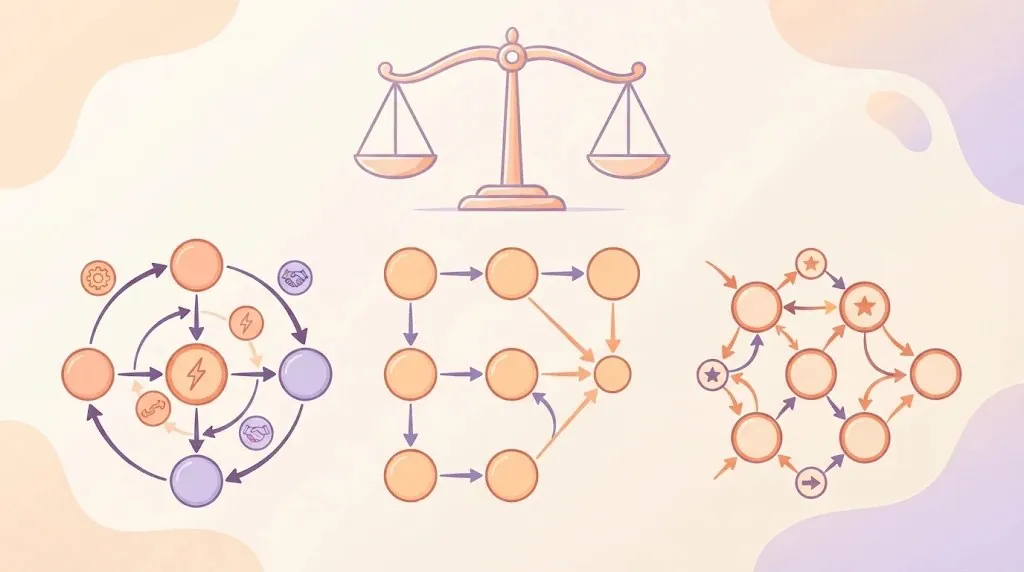
Illustration: AI Tool Audit, created with Google Gemini
On this page
The key difference: what each tool counts
All three tools connect apps and run automations. They differ most in the unit they bill you for.
- Zapier counts tasks. A task is a unit of work Zapier completes for you, usually an action step. Triggers do not count, and neither do built-in tools such as Filter, Formatter, Paths, Delay, Looping and Tables. Failed actions do not count either. Some AI steps cost more than one task.
- Make counts credits. Each module step usually uses at least one credit. Some AI modules use more, based on tokens, file size or processing time.
- n8n counts executions. One full workflow run is one execution, whatever its number of steps.
So the longer your workflows, the better n8n looks on price. The simpler they are, the less the difference matters.
Plans and prices side by side
| Tool | Free option | Entry paid plan | Next tier | Top tier |
|---|---|---|---|---|
| Zapier | 100 tasks/month, two-step Zaps only | Professional: $19.99/month yearly ($29.99 monthly), 750 tasks | Team: $69/month yearly ($103.50 monthly), 2,000 tasks | Enterprise: contact sales |
| Make | 1,000 credits/month, not time-limited | Core: from $9/month, 10,000 credits | Pro: from $16/month; Teams: from $29/month | Enterprise: custom |
| n8n | Self-hosted Community Edition, no license cost | Cloud Starter: €20/month yearly (€24 monthly), 2,500 executions | Cloud Pro: €50/month yearly (€60 monthly), 10,000 executions | Business (self-hosted): €667/month yearly; Enterprise: contact sales |
Every tool raises the price as you choose bigger usage tiers. Zapier, for example, lists Professional at $129 a month yearly for 10,000 tasks.
A worked example
Say you have one workflow with a trigger and four action steps, and it runs 1,000 times a month. Using each vendor's counting rules, and assuming plain actions with no AI steps:
| Tool | Usage per month | Smallest listed tier that fits |
|---|---|---|
| Zapier | About 4,000 tasks (trigger is free) | Professional at 10,000 tasks: $129/month yearly |
| Make | About 5,000 credits (each module step) | Core from $9/month for 10,000 credits |
| n8n | 1,000 executions | Cloud Starter: €20/month yearly, or free if self-hosted |
Notice how the gap grows with volume. Double the runs to 2,000 a month and Zapier needs about 8,000 tasks, Make about 10,000 credits, and n8n still only 2,000 executions.
This is a rough guide, not a quote. If you add filters or formatters, Zapier does not charge for them. If you add AI steps, Make and Zapier may charge more than one unit for each. Still, the pattern holds: Zapier costs the most for step-heavy work.
What happens when you go over
- Zapier: with pay-per-task on, Zaps keep running and extra tasks cost 1.25x the base rate on yearly plans or 2.5x on monthly plans. Usage pauses at 3x your task limit. With it off, Zaps stop at the limit. The Free plan has no pay-per-task.
- Make: you can upgrade, buy extra credits or turn on auto-purchase. Extra credits cost 25% more than included credits.
- n8n: Cloud Starter and Pro are capped with no overage fees, so you upgrade instead. Business lists an overage of €4,000 per extra 300,000 executions.
Speed and features worth knowing
On Zapier, how often a trigger checks for new data depends on your plan. The pricing page lists every 15 minutes on Free, 2 minutes on Professional and 1 minute on Team. Free is also limited to two-step Zaps.
Make's free plan is not time-limited, and all paid plans can now connect your own AI provider account for Make AI Agents. Then Make charges one credit per operation and you pay the AI provider directly.
n8n includes unlimited users and workflows on all plans. Self-hosting is free but leaves out team features like projects, sharing, SSO and Git version control. It also needs someone comfortable running Docker.
Which should you choose?
- Choose Zapier if you run low volumes, rely on free filters and formatters, and want fast trigger checks on paid plans.
- Choose Make if you run many multi-step scenarios on a budget and want a free plan with real room to test.
- Choose n8n Cloud if your workflows are long and you want per-run pricing without running servers.
- Choose self-hosted n8n if you have technical skills and want no license cost.
Go deeper with our Zapier pricing explainer, Make plans explained and n8n Cloud vs self-hosted pricing. For tools to automate, see best AI tools for business and our AI tool price table.
FAQ
Which is cheapest: Zapier, Make or n8n?
Self-hosted n8n has no license cost. Among hosted plans, Make starts at $9 a month for 10,000 credits, while Zapier Professional starts at $19.99 a month yearly for 750 tasks.
Do Zapier triggers use tasks?
No. Zapier says triggers and polling do not count, and neither do built-in tools like Filter and Formatter.
Does Make charge for every step?
Mostly yes. Each module step usually uses at least one credit, and some AI modules use more.
Is n8n hard to self-host?
It needs Docker on Linux or macOS, or WSL on Windows, plus your own backups and updates. n8n Cloud avoids that work.
Sources
- Zapier pricing (checked November 12, 2026)
- Make pricing (checked November 12, 2026)
- Make vs n8n (Make) (checked November 12, 2026)
- Make Help Center: Credits (checked November 12, 2026)
- Make Help Center: Adjustments to plans and pricing (checked November 12, 2026)
- n8n pricing (checked November 12, 2026)
- n8n Docs: Community edition features (checked November 12, 2026)
- n8n Docs: Hosting n8n (checked November 12, 2026)