Checked November 12, 2026 against kasasmart.com, tapo.com, casetawireless.com and support.lutron.com (US products). This is a documentation-based guide, not a hands-on test.
Quick verdict
Lamps, fans and small appliances: a smart plug is the easy choice. You plug it in, pair it, and you are done. No wiring and nothing to undo when you move.
Ceiling lights and anything on a wall switch: a smart switch is the right tool, because it keeps the wall switch working for everyone in the house.
Old house with no neutral wire: look at no-neutral dimmers such as Lutron's Caseta PD-6WCL before you buy a Wi-Fi switch that needs one.
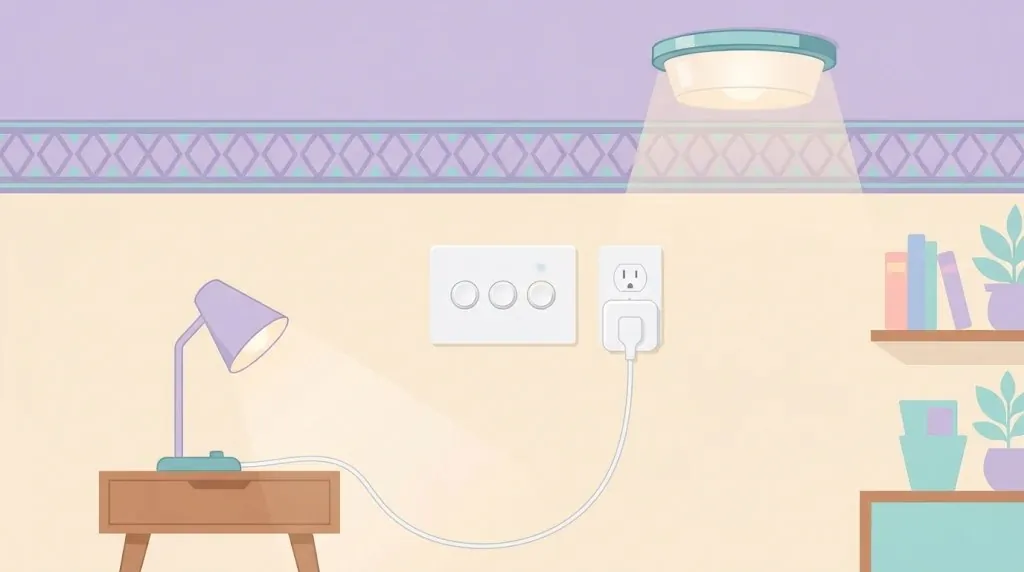
Illustration: AI Tool Audit, created with Google Gemini
On this page
The short difference
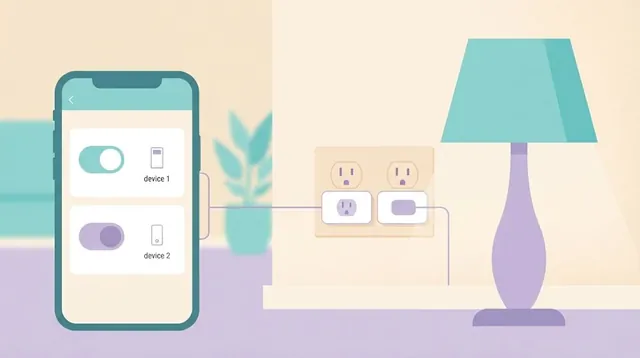
A smart plug sits between an outlet and whatever you plug into it. It switches that one outlet on and off from an app, a voice assistant or a schedule. A smart switch replaces the light switch in your wall. It controls whatever that switch already controls, which is usually a ceiling light, a porch light or a group of recessed lights.
So the real question is not which is better. It is what are you trying to control? If the device has a plug, start with a smart plug. If the device is wired into the ceiling or wall, you need a switch.
Side by side
| Question | Smart plug | Smart switch |
|---|---|---|
| Installation | Plug into an outlet | Replaces the wall switch; you work with house wiring |
| Controls | One plugged-in device | Hard-wired lights or fans on that circuit |
| Neutral wire | Not relevant | Often required (for example Kasa KS200); some dimmers don't need one |
| Renters | Easy to take with you | Usually needs landlord approval |
| Wall switch still works for guests | No: if someone flips the wall switch, the plug loses power | Yes: the switch is the smart device |
| Example products | Tapo P125M (Matter certified), Kasa plugs | Kasa KS200, Lutron Caseta dimmers |
When a smart plug makes sense
Smart plugs are the cheapest and least risky way into a smart home. They suit table and floor lamps, holiday lights, fans, and simple appliances that turn on when power arrives. Tapo's page for the P125M mini plug says it handles higher-power appliances and gives kettles, coffee makers and toasters as examples. Check the rating on the box against the device you plan to plug in.
The Tapo P125M is also Matter certified, according to Tapo. That means you can add it to Apple Home, Google Home, Alexa or SmartThings through Matter instead of relying only on the Tapo app. Tapo lists Alexa, Siri and Google Assistant for voice control. Our smart plug picks compare more models.
The catch: a smart plug only works if the outlet has power. If your lamp outlet is controlled by a wall switch and someone turns that switch off, the plug goes offline until the switch is turned back on.
When a smart switch makes sense
Choose a switch when the light is wired in, or when many people use the room. A smart switch keeps a normal-looking control on the wall, so guests and kids don't need an app. It also lets you use ordinary bulbs. With smart bulbs behind a regular switch, flipping the switch off cuts power to the bulbs and breaks app control.
Wi-Fi switches are simple to set up. TP-Link's Kasa KS200 page says it needs "no hub or extra equipment", connects to 2.4 GHz Wi-Fi, and works with Alexa, Siri, Google Assistant and Bixby. The Kasa app gives guided wiring steps.
The neutral wire problem
Most smart switches need constant power for their radio, and many get it from a neutral wire in the switch box. TP-Link's KS200 page states plainly that a neutral wire is required. Lutron's page for its Caseta Original smart dimmer for ELV+ lighting says the same and notes that US homes built after 1973 should have neutral wires.
If your switch box has no neutral, you are not stuck. Lutron's support page lists two Caseta in-wall dimmers that work without one: the PD-6WCL, which needs no neutral, and the PD-10NXD, where the neutral is optional but recommended. The PD-5NE will not work without a neutral. If you are not sure what is in your wall, turn off the breaker and look, or ask an electrician.
Hubs, Wi-Fi and Matter
Kasa and Tapo devices connect straight to your Wi-Fi. Lutron Caseta uses its own Smart Hub for app control. Lutron says the hub keeps lighting control working even when Wi-Fi is down and supports up to 74 devices. Caseta's site lists Alexa, Google Assistant and Apple HomeKit, plus Ring, Sonos and SmartThings.
Caseta also has a nice extra: a Pico remote can pair with a Caseta dimmer to add a second control point, with no new wiring. That is handy for a three-way setup or a bedside light.
If you want one app for everything, look for Matter support on the box. Our Matter explainer covers how it works, and Zigbee vs Z-Wave vs Matter explains the older standards you may still see.
Smart plugs, switches or smart bulbs?
There is a third option: smart bulbs. They give you color and dimming without wiring, but they work best when the wall switch stays on. Many people use smart bulbs in lamps, smart switches for ceiling lights, and smart plugs for everything else. See our Matter smart bulb picks if color matters to you.
Which should you choose?
- Choose a smart plug for lamps, fans, holiday lights, or if you rent.
- Choose a Wi-Fi smart switch such as the Kasa KS200 if you have a neutral wire and want no hub.
- Choose a Lutron Caseta dimmer if your box has no neutral, or you want Pico remotes and a hub-based system.
- Choose smart bulbs if you want color and can keep the wall switch on.
New to all this? Start with our beginner smart home setup guide, or check the price table for the subscriptions we track.
FAQ
Do smart switches need a neutral wire?
Many do. TP-Link lists a neutral wire as required for the Kasa KS200. Lutron's Caseta PD-6WCL dimmer needs no neutral, and the PD-10NXD makes it optional.
Can a smart plug control a ceiling light?
No. A smart plug only controls a device that plugs into an outlet. Ceiling lights wired into the wall need a smart switch or smart bulbs.
Do Kasa smart switches need a hub?
No. TP-Link says the KS200 connects to 2.4 GHz Wi-Fi with no hub or extra equipment.
Is the Tapo P125M plug Matter compatible?
Yes. Tapo describes the P125M as Matter certified, so it can join other Matter platforms as well as the Tapo app.
Sources
- Kasa Smart Wi-Fi Light Switch KS200 (checked November 12, 2026)
- Tapo P125M Mini Smart Wi-Fi Plug (checked November 12, 2026)
- Lutron Caseta overview (checked November 12, 2026)
- Caseta Original smart dimmer for ELV+ lighting (checked November 12, 2026)
- Lutron support: Caseta in-wall dimmers (checked November 12, 2026)