Checked November 12, 2026 against krisp.ai/pricing (US prices). This is a documentation-based explainer, not a hands-on test.
Quick verdict
Try first: Krisp's 7-day free trial needs no credit card and includes unlimited transcription and noise cancellation.
Most individuals and small teams: Core is $16 per user per month, or $8 with the yearly option, and covers unlimited bot-free notes and noise cancellation.
Sales teams and heavy accent-conversion users: Advanced ($30, or $15 yearly) adds Salesforce, admin controls and more accent conversion time.
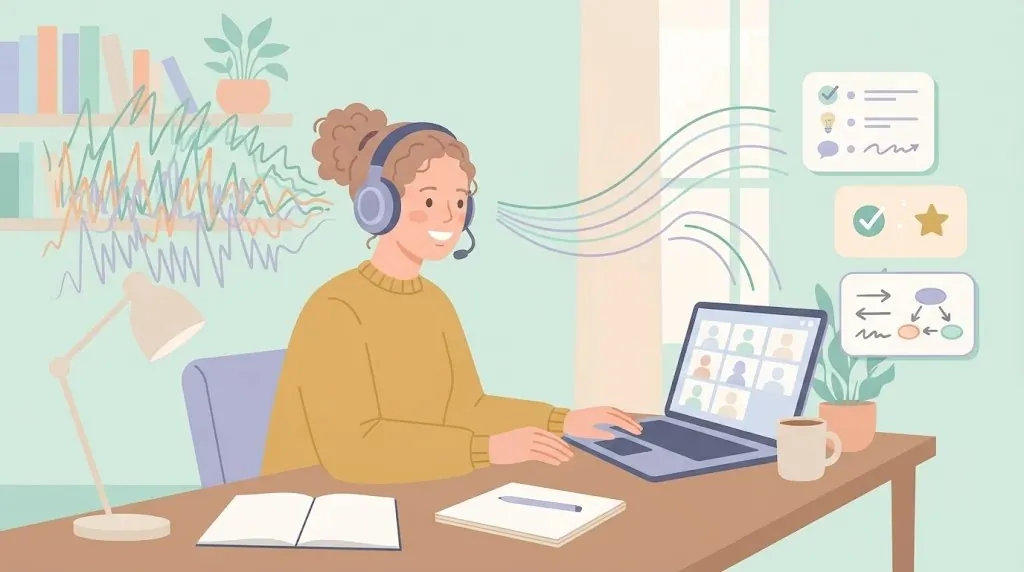
Illustration: AI Tool Audit, created with Google Gemini
On this page
What Krisp does
Krisp started as a noise cancellation app for calls. Today it is also a meeting assistant. It records and transcribes meetings without adding a bot to the call, writes AI notes and action items, and can convert accents in real time. Krisp sells three product lines: Meeting AI for knowledge workers, Call Center AI for support teams and an API for developers. This guide focuses on Meeting AI, with a short look at the others.
Meeting AI plans at a glance
| Plan | Monthly price | Yearly option | Accent conversion (speaker side) | Storage |
|---|---|---|---|---|
| Free Trial | $0 for 7 days | n/a | Limited | Not listed |
| Core | $16 per user | $8 per user/month | 1 hour a day | 10 GB |
| Advanced | $30 per user | $15 per user/month | 4 hours a day | 60 GB |
| Enterprise | Custom | Custom | Custom | Unlimited |
The pricing page has a yearly toggle labeled "Save 50%," which shows the lower figures above. The page doesn't spell out the billing terms for those yearly rates, so confirm the total at checkout before you commit.
Core: unlimited notes and noise cancellation
Core is the main plan for most people. Krisp lists unlimited use of its AI note-taker, which records audio and video, transcribes and writes notes without a meeting bot. It also covers in-person meetings, has a mobile app and can record outbound phone calls. Noise cancellation is unlimited.
Core includes multilingual transcripts, AI chat over your meetings and team billing. Integrations cover HubSpot, Slack, Notion, Zapier and Teams, plus an API and MCP. Accent conversion is capped at one hour a day on both the speaker and listener side. Speaker-side conversion covers Indian, Filipino, South African and Latin American accents. Storage is 10 GB.
Advanced: for sales and managers
Advanced costs $30 per user per month, or $15 with the yearly option. It raises speaker-side accent conversion to four hours a day and makes listener-side conversion unlimited. It adds Salesforce and ConnectWise integrations and team-level webhooks.
The admin side is the other reason to upgrade. Admins can control who can share meeting links and enforce a note-taking mode. Managers get a manager view, company deal grouping and trim-and-comment tools. Storage rises to 60 GB. Support moves to priority with a dedicated Slack channel.
Enterprise: security and on-device options
Enterprise adds SSO and SCIM, SOC 2 report access, a choice of data center location and HIPAA compliance. Krisp says it will sign a BAA for teams with 100 or more seats. Enterprise also offers private on-device transcription and recordings, a super admin role, usage reports and unlimited storage.
Call Center AI and the API
For contact centers, CC Core is $15 per agent per month, billed annually. It covers noise cancellation on both agent and customer sides, voice isolation, after-call summaries and SSO. CC Advanced has no listed price.
Developers get a pay-as-you-go Starter plan with $30 of free credits valid for 12 months. Voice Isolation costs $0.18 an hour and Voice Translation $4.00 an hour. The Growth plan is $400 a month with $400 of usage included, at lower hourly rates; unused credit does not roll over.
Things to know before you buy
- No noise-only plan. Krisp's FAQ says noise cancellation is in every plan, and you can turn the meeting assistant off if you only want clean audio.
- Calendar connection. Signup asks you to connect a Google or Outlook calendar by default. A zero-calendar-permissions option exists.
- Per-seat billing. Every teammate you invite counts as a paid seat.
- Training. Krisp says meeting data is never used to train its AI models.
- Volume discounts are available above 50 members through sales.
One small warning: the FAQ still mentions older "Business" and "Pro" plan names that are not on the current pricing table. Go by the plan names in the table.
Which Krisp plan should you choose?
- Choose Core if you want clean audio plus bot-free notes and transcripts, and an hour a day of accent conversion is enough.
- Choose Advanced if you sell through Salesforce, rely on accent conversion for most of the day, or manage a team's calls.
- Choose Enterprise if you need HIPAA, a BAA, data residency or on-device transcription.
Bot-free recording is Krisp's main difference from tools that join your call. Compare it with our Otter.ai plans explainer, Fireflies plans breakdown and AI note takers guide, or scan the AI tool price table.
FAQ
Is Krisp free?
Krisp offers a 7-day free trial with no credit card required. After that, Meeting AI plans start with Core at $16 per user per month.
Can I buy only noise cancellation?
No. Krisp says there is no noise-cancellation-only plan. Noise cancellation is included in every plan, and the meeting assistant can be turned off.
Does Krisp join meetings as a bot?
No. Krisp describes its note-taker as bot-free. It records and transcribes meetings without adding a bot participant to the call.
Does Krisp train AI on my meetings?
Krisp's FAQ says meeting data is never used to train its AI models.
Sources
- Krisp pricing and FAQ (checked November 12, 2026)