Checked November 12, 2026 against support.apple.com, support.google.com, philips-hue.com and ring.com (US prices). This is a documentation-based guide, not a hands-on test.
Quick verdict
Most important gadget: a smartwatch with fall detection. Apple Watch and Pixel Watch can both call emergency services if the wearer doesn't respond after a hard fall.
Cheapest safety upgrade: motion-activated lights for night-time trips to the bathroom. The Philips Hue Motion Sensor is $48.99 but needs a Hue Bridge.
Less rushing to the door: Ring Quick Replies lets a doorbell answer visitors, with no subscription needed.
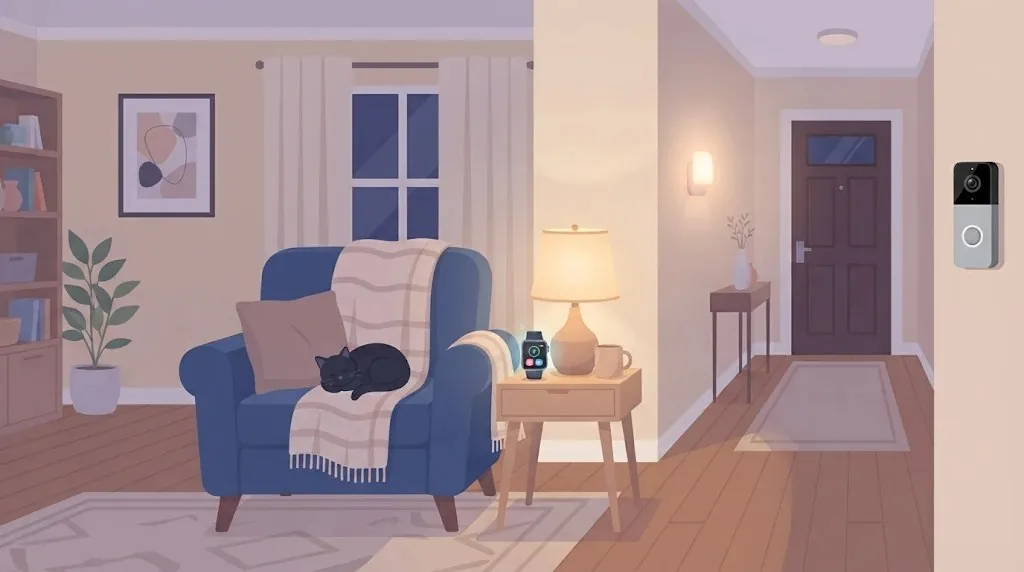
Illustration: AI Tool Audit, created with Google Gemini
On this page
Start with the problem, not the gadget
Smart home gear can help an older parent stay independent, but only if it solves a real worry and is simple to live with. Before buying anything, list the two or three things that concern you most. For many families those are falls, getting around in the dark, and answering the door. This guide covers one option for each, using only what the makers' own documents say.
A good rule: the person using the device should agree to it and understand what it does. Technology that feels like surveillance tends to get unplugged.
Fall detection on a smartwatch
A watch is worn all day, works away from home and can call for help on its own. Both Apple and Google publish clear details.
Apple Watch
Apple lists Fall Detection on Apple Watch SE, Series 4 and later, and Ultra. After a hard fall, the watch taps the wrist, sounds an alarm and shows an alert. If the wearer has not moved for about a minute, it starts a 30-second countdown. If nobody cancels, it calls emergency services, plays a recorded message about the fall with the location, and messages the emergency contacts from the Medical ID.
Apple says Fall Detection turns on automatically for users aged 55 and over, if the age was entered during setup or in the Health app. To check it, open the Watch app on the iPhone, go to My Watch, then Emergency SOS, and turn on Fall Detection. Wrist Detection must be on for automatic calls.
Google Pixel Watch
Google lists Fall Detection on Pixel Watch models 1 through 5. After a hard fall, the watch waits about 30 seconds, then vibrates, rings loudly and asks whether to call emergency services. With no response, it calls after 60 seconds with an automated voice message and can share location. It also offers Emergency Sharing of live location and a Safety Check timer that alerts contacts if the wearer misses a check-in. Without LTE, the paired phone must be nearby to place the call.
Both companies warn that the watch cannot detect every fall, and that hard exercise can trigger it.
Comparing the two watches
| Feature | Apple Watch | Pixel Watch |
|---|---|---|
| Models with fall detection | SE, Series 4 and later, Ultra | Pixel Watch 1 to 5 |
| Time before the automatic call | About 1 minute still, then a 30-second countdown | About 30 seconds, then a call after 60 seconds |
| Turns on by default | Yes, for age 55 and over | Turn it on in Safety settings |
| Phone needed | iPhone | Android phone with the Pixel Watch app |
| Extra safety tools | Emergency contacts from Medical ID | Emergency Sharing, Safety Check |
Pick the watch that matches the phone your parent already uses. A watch that has to be explained twice a week will not be worn.
Motion lights for safer nights
Lights that switch on by themselves when someone gets up at night are one of the simplest safety upgrades. The Philips Hue Motion Sensor costs $48.99 and runs on two AAA batteries. It turns Hue lights on when it detects movement, and you can set different scenes for up to ten times of day, such as dim light after bedtime. A built-in daylight sensor means lights come on only when the room is darker than the level you choose.
The catch is that the sensor requires a Hue Bridge; Philips recommends the Bridge Pro at $149.99. If you already own Hue bulbs, the sensor is an easy add-on. If you are starting from scratch, budget for the bridge and bulbs too. Our smart bulbs guide covers other options.
Answering the door without rushing
Hurrying to the door is a common cause of trips. Ring's Quick Replies works like an answering machine for the front door: when someone rings, the visitor hears a preset message and can leave a reply. Ring says it needs no subscription, though reviewing recorded video does. You turn it on in the Ring app under the doorbell's Smart Responses, choose a message, and set the response time from right away to 20 seconds. That gives your parent time to get up, or the option not to answer at all.
For a full look at doorbell plans, see our video doorbell subscription guide.
Setting it up so it lasts
- Do the setup yourself, then hand over. Install apps on your own phone as a shared user where the system allows it, so you can help remotely.
- Keep the Wi-Fi solid. Fall alerts and doorbells depend on it. Check signal strength in the bedroom and by the front door.
- Write down the basics. A one-page note on how to cancel a false fall alert prevents panic.
- Add slowly. One device a week is easier to accept than a whole new system.
New to all of this? Start with our smart home setup guide for beginners, and see our smart lock guide if lost keys are a worry. Prices for the subscriptions we track are in the price table.
FAQ
Does Apple Watch fall detection turn on automatically?
Yes, for users aged 55 and over whose age is set during setup or in the Health app. Anyone else can turn it on in the Watch app under Emergency SOS.
Does fall detection work without a phone nearby?
On Pixel Watch, Google says the paired phone must be nearby to call unless the watch has LTE. Apple's page focuses on the call itself, so check your model's cellular support.
Do I need a subscription for Ring Quick Replies?
No. Ring says Quick Replies needs no subscription. Reviewing recorded video does require a Ring plan.
Does the Philips Hue Motion Sensor need a hub?
Yes. Philips says a Hue Bridge is required and recommends the Bridge Pro, listed at $149.99.
Sources
- Apple Support: use Fall Detection with Apple Watch (checked November 12, 2026)
- Google Pixel Watch Help: emergency safety features (checked November 12, 2026)
- Philips Hue Motion Sensor (checked November 12, 2026)
- Ring Help: setting up Quick Replies (checked November 12, 2026)