Checked November 12, 2026 against eero.com, support.google.com, tp-link.com, wi-fi.org and threadgroup.org (US prices). This is a documentation-based guide, not a hands-on test.
Quick verdict
Want one box for Wi-Fi and Thread: eero Pro 7 and Google Nest Wifi Pro both have a built-in smart home hub that handles Thread devices.
Already have a Thread border router (such as a smart speaker or hub that lists Thread border routing): any solid mesh system works, including TP-Link Deco.
Big priority: buy for the number of devices and the floor plan first. Speed is rarely the limit for plugs and sensors.
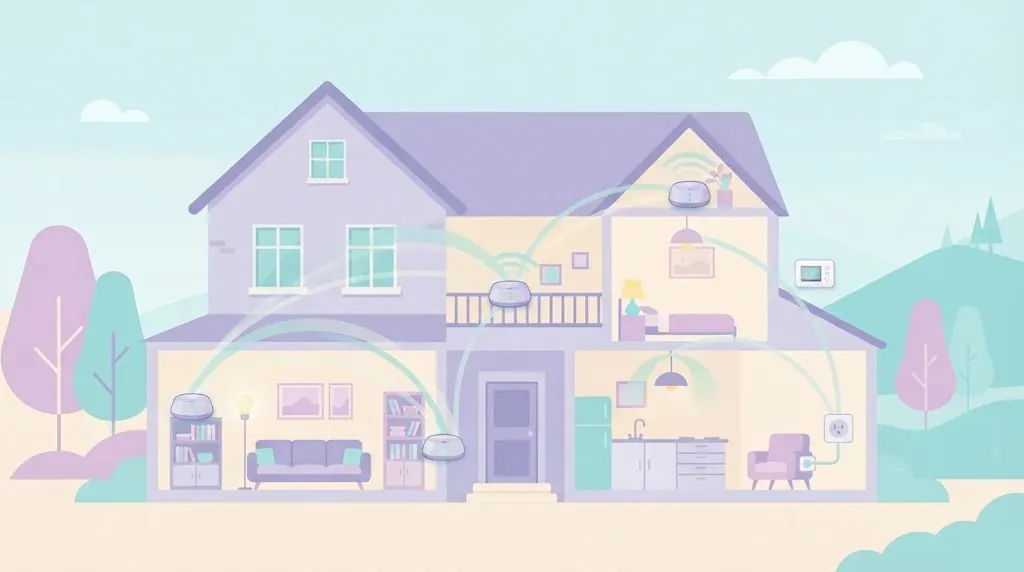
Illustration: AI Tool Audit, created with Google Gemini
On this page
Why smart homes stress Wi-Fi differently
A laptop wants speed. A smart home wants reach and room for lots of small devices. Plugs, bulbs, cameras, doorbells and speakers each hold a connection all day, and many sit at the edges of the house: the garage, the porch, the back bedroom.
A mesh system uses several units that work as one network, so the signal reaches those corners. When you shop, four things matter more than the headline speed: how many devices each unit handles, whether it has a Thread border router, how it works with Matter, and whether you can add more units later.
1. Device count per unit
Check the device limit on the spec sheet. eero lists the Pro 7 at "200+ devices" per unit. Google lists Nest Wifi Pro at up to 100 connected devices per router. Those numbers grow as you add units, but a home with 40 smart devices, three phones, TVs and laptops is not unusual. Leave headroom for next year's gadgets.
2. Thread and border routers
Thread is a low-power mesh network for small smart home devices. The Thread Group describes it as built on open standards and IPv6, with no single point of failure, so the network can repair itself when a device drops out. Sensors and locks like it because it saves battery.
Thread devices need a border router to talk to the rest of your network. That can be a smart speaker, a streaming box or a router. If your mesh system has one built in, you need one less box. Our Thread border routers explainer lists the common options.
3. Matter support
Matter is the shared smart home standard. The Thread Group notes it can run over Thread or Wi-Fi, so makers pick whichever suits the product. A router that is a Matter controller can add and run Matter devices without a separate hub. Read the fine print, though. eero, for example, supports Matter "as a controller only," and you add devices through the Alexa app.
For a plain-English primer, see Matter explained.
4. Wi-Fi 7 vs Wi-Fi 6E
The Wi-Fi Alliance says Wi-Fi 7 adds 320 MHz channels in the 6 GHz band, multi-link operation for better load balancing, and 4K QAM for about a 20% rate gain over Wi-Fi 6. Those features target fast phones, laptops and other new Wi-Fi 7 devices. A smart plug or sensor that only needs a trickle of data gains little from them. Pick Wi-Fi 7 if you are buying new anyway, but don't replace a working Wi-Fi 6E system just for smart home gear.
How three popular systems compare
| Feature | eero Pro 7 | Google Nest Wifi Pro | TP-Link Deco 7 series |
|---|---|---|---|
| Wi-Fi standard | Wi-Fi 7, tri-band | Wi-Fi 6E, tri-band (2.4, 5, 6 GHz) | Wi-Fi 7 |
| Devices per unit | 200+ | Up to 100 | Not stated on the page we checked |
| Coverage per unit | 2,000 sq. ft. | Not given on the spec sheet | Not stated on the page we checked |
| Thread | Yes, via built-in hub | Built-in Thread border router | Not mentioned on the US pages we checked |
| Matter | Controller only, set up in the Alexa app | Matter-enabled, acts as a hub | "Works seamlessly with Matter" |
| Zigbee | Controller only | Not listed | Not mentioned |
| Ethernet | Two 5 GbE ports | Two 1 Gbps ports per router | Varies by model |
eero Pro 7
eero's shop lists the Pro 7 at $299.99 for one unit, $549.99 for two and $799.99 for three, with lower sale prices showing when we checked. Its built-in hub covers Thread, plus Matter and Zigbee as a controller. That makes it a good fit for an Alexa home. eero's help center lists Matter controller support on many models, including the eero 6 family, eero 7, Pro 7 and Max 7. You'll need to link your Amazon account in the eero app.
Google Nest Wifi Pro
Nest Wifi Pro has a built-in Thread border router and can act as a Matter hub, which suits a Google Home setup. One catch: Google says it can't join a mesh with older Nest Wifi or Google Wifi units. If you own those, you'll replace them rather than add to them. Google's specs list Thread border routing on the older Nest Wifi router and point too, but not on Google Wifi.
TP-Link Deco
TP-Link's Deco page lists a Wi-Fi 7 range, from the dual-band Deco BE25 to the quad-band Deco BE95, plus an outdoor unit. It says Deco works with Matter and that its security features work without extra subscriptions. The pages we checked don't mention Thread, so plan on a separate border router for Thread devices.
Can you mix brands?
Usually not with consumer mesh kits. The Wi-Fi Alliance's EasyMesh standard is meant to let access points from multiple vendors join one network, but eero, Nest and Deco are sold as single-brand systems. Plan to stay with one brand when you add units.
Which should you choose?
- Alexa household: eero Pro 7, for Thread plus Matter and Zigbee control in the router.
- Google Home household: Nest Wifi Pro, if you don't need to reuse older Google Wifi units.
- Apple Home, or you already have Thread hubs: pick the mesh with the coverage and ports you need. Deco is a fair option here.
- Large home with many cameras: favor higher device counts and wired backhaul ports.
New to all this? Start with our smart home setup guide, then compare ecosystems in Alexa vs Google Home vs Apple Home. For AI subscriptions in your home, see the AI tool price table.
FAQ
Do I need mesh Wi-Fi for a smart home?
Not always. A single router can cover a small apartment. Mesh helps when devices sit far from the router, such as in a garage, a porch or upstairs rooms.
Which mesh routers are Thread border routers?
Among the systems we checked, Google Nest Wifi Pro and the older Nest Wifi list a Thread border router, and eero Pro 7 handles Thread through its built-in hub. TP-Link's Deco pages we checked don't mention Thread.
Is Wi-Fi 7 worth it for smart home devices?
Not on its own. Wi-Fi 7's headline gains, such as 320 MHz channels, are in the 6 GHz band and help fast devices like new phones and laptops. Low-data gadgets like plugs and sensors gain little.
Can I add Nest Wifi Pro to my old Google Wifi?
No. Google says Nest Wifi Pro can't be combined with Nest Wifi or Google Wifi in one mesh network.
Sources
- eero Pro 7 product page (checked November 12, 2026)
- eero Help: Does eero support Matter? (checked November 12, 2026)
- Google: Tech specs for Nest Wifi Pro, Nest Wifi and Google Wifi (checked November 12, 2026)
- Google: What is Nest Wifi Pro? (checked November 12, 2026)
- TP-Link Deco (checked November 12, 2026)
- TP-Link Matter page (checked November 12, 2026)
- Wi-Fi Alliance: Wi-Fi CERTIFIED 7 (checked November 12, 2026)
- Wi-Fi Alliance: Wi-Fi EasyMesh (checked November 12, 2026)
- Thread Group: Thread benefits (checked November 12, 2026)