Checked November 11, 2026 against OpenAI's Help Center article "Canceling your ChatGPT subscription" and the ChatGPT pricing page.
Quick answer
Cancel where you paid. If you subscribed on chatgpt.com, go to Settings → Billing → Cancel plan → Cancel. If you subscribed in the iPhone app, cancel in your Apple subscriptions. If you subscribed on Android, cancel in Google Play.
Do it at least 24 hours before your billing date to avoid the next charge. You keep Plus features until the end of the period you have already paid for.
Deleting the app does not cancel the subscription.
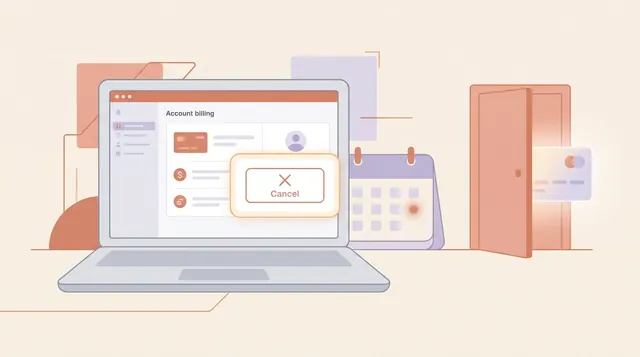
Illustration: AI Tool Audit, created with Google Gemini
On this page
- Step 1: find out who bills you
- Cancel on chatgpt.com (web subscriptions)
- Cancel on iPhone or iPad (Apple App Store subscriptions)
- Cancel on Android (Google Play subscriptions)
- Cancel a ChatGPT Business workspace
- What happens after you cancel
- Can you get a refund?
- If you can't sign in anymore
- Charged twice, or charged after cancelling?
- Before you cancel: cheaper options
- FAQ
Step 1: find out who bills you
This is the step that trips people up. OpenAI's Help Center is clear that you cancel through the platform where you bought the subscription, and each platform only shows its own subscriptions. A Plus plan bought on chatgpt.com will not appear in your Apple or Google Play subscriptions, and the reverse is also true.
Not sure which one you used? Look at your purchase receipt. The sender tells you who billed you: OpenAI, Apple or Google. If you have several Google accounts on an Android phone, check each one. On an iPhone, make sure you are signed in to the Apple account that made the purchase.
Cancel on chatgpt.com (web subscriptions)
- Sign in to ChatGPT.
- Open your account menu and select Settings.
- Select Billing.
- Under Cancel plan, select Cancel.
If the billing controls don't appear, OpenAI suggests signing in to the same ChatGPT account in a different browser and trying again.
Cancel on iPhone or iPad (Apple App Store subscriptions)
Apple manages these subscriptions, so the steps are in your iPhone's Settings rather than in ChatGPT:
- Open Settings.
- Tap your name.
- Tap Subscriptions.
- Tap ChatGPT.
- Tap Cancel Subscription and confirm.
If there is no Cancel Subscription button and an expiration date is shown instead, the subscription may already be cancelled.
Cancel on Android (Google Play subscriptions)
First make sure you are signed in to the Google account that bought the subscription. Then either:
- In the Play Store app: open Google Play, go to Subscriptions, select ChatGPT, then Cancel subscription, and follow the prompts.
- On the web: open your Google Play subscriptions page, sign in, select Manage next to ChatGPT, then Cancel subscription. If asked, choose a reason and select Continue.
Cancel a ChatGPT Business workspace
The same Help Center article covers self-service ChatGPT Business, but not Enterprise or Edu, which are handled through sales. A workspace owner or admin can cancel:
- Sign in and open the account menu, then Workspace settings.
- Select Billing, then Manage plan.
- Select Cancel subscription.
If you can't see the billing settings, ask the workspace owner. OpenAI adds a warning for businesses that also advertise with OpenAI. If your Ads account access runs through a Business workspace, deactivating that workspace may affect access to Ads Manager, and it does not necessarily pause running campaigns. Pause any campaigns first and make sure someone keeps access to the Ads account.
What happens after you cancel
- You keep Plus until the period ends. After an ordinary cancellation, paid features stay available until the end of the current billing period.
- You don't need to delete your account. OpenAI says that if you only want to stop future charges, there is no need to delete your ChatGPT account. When the paid period ends you are back on the free plan, which, according to the pricing page, still includes unlimited everyday text chats with GPT-6 (subject to abuse guardrails) and limited uploads, image creation, voice and deep research.
- No automatic refund. Cancelling stops renewals. It doesn't refund charges you've already paid (see below).
- Check that it worked. Confirm on the billing platform (ChatGPT, Apple or Google) that the subscription is no longer set to renew.
Be careful with account deletion. Deleting your ChatGPT account cancels subscriptions billed directly by ChatGPT, but it does not cancel an Apple App Store subscription. If you paid through Apple or Google Play, cancel there first, then delete the account if you want to.
Can you get a refund?
OpenAI's article says refund eligibility "depends on your purchase and location", and refunds are requested separately from cancelling:
- Bought on chatgpt.com or Google Play: request a refund through OpenAI Support while signed in to the account that was charged.
- Bought through Apple: request the refund from Apple.
If a refund is granted, the access that charge paid for normally ends earlier, subject to local law.
If you can't sign in anymore
If ChatGPT bills you directly and you no longer have access to the account's email address, contact OpenAI Support. You'll need the email linked to the account or subscription (or the billing email) plus any two of these:
- the last four digits of the payment card
- the card's expiration date
- the billing address on the subscription
- the date of the most recent charge
OpenAI says you should never send your complete card number. For Apple or Google Play subscriptions, cancel from the store account you used. If you can't get into that account, Apple or Google handle the recovery.
Charged twice, or charged after cancelling?
- Two charges: check whether you have subscriptions under different ChatGPT, Apple or Google accounts, and cancel the one you don't want on the platform that bills it.
- Charged after cancelling: compare your cancellation confirmation with your billing date. If you cancelled less than 24 hours before renewal, that charge may already have gone through.
- Paid plan missing in the app: make sure you're signed in to the ChatGPT account that bought it. One subscription works on all your devices when you use the same account.
Before you cancel: cheaper options
If the issue is price rather than ChatGPT itself, the pricing page lists a cheaper paid tier. ChatGPT Go costs $8 a month in the US and offers more messages with tools, uploads, image creation and voice than Free, plus longer memory. OpenAI notes that Go may include ads. Plus is $20. If you're cancelling because you prefer another assistant, compare the alternatives first:
- ChatGPT plans explained: Free, Go, Plus and Pro
- ChatGPT vs Gemini: plans compared
- Claude plans explained
- The best free AI tools
FAQ
Does deleting the ChatGPT app cancel Plus?
No. OpenAI says uninstalling the app does not cancel your subscription. Cancel through chatgpt.com, Apple or Google Play, depending on where you subscribed.
When should I cancel to avoid the next charge?
At least 24 hours before your next billing date. You keep paid features until the end of the current billing period.
Will I get a refund if I cancel ChatGPT Plus?
Not automatically. Cancelling only stops renewals. Request a refund through OpenAI Support for web and Google Play purchases, or through Apple for App Store purchases. Eligibility depends on the purchase and your location.
Does deleting my ChatGPT account cancel my subscription?
It cancels subscriptions billed directly by ChatGPT, but not Apple App Store subscriptions. If you subscribed through Apple or Google Play, cancel there before deleting the account.
Sources
- OpenAI Help Center: Canceling your ChatGPT subscription (checked November 11, 2026)
- ChatGPT plans and pricing (checked November 11, 2026)