Checked November 12, 2026 against chatgpt.com/pricing, chatgpt.com/features/voice and chatgpt.com/features/voice-with-video (US). This is a documentation-based explainer, not a hands-on test.
Quick verdict
Trying it out: the Free plan includes voice chats, but OpenAI marks them as limited.
Talking about what your camera sees: voice with video and screen sharing need a paid plan. The feature page lists Plus, Pro, Business, Enterprise and Edu.
Heavy daily use: Pro is the only plan the pricing page lists with unlimited voice, and even that is "subject to abuse guardrails."

Illustration: AI Tool Audit, created with Google Gemini
On this page
What ChatGPT voice mode is
Voice mode lets you talk to ChatGPT out loud and hear it answer, instead of typing. OpenAI pitches it for hands-free moments: brainstorming on a walk, getting how-to help while your hands are busy, practicing a language, planning a trip or translating a conversation as it happens. Its own example is live translation between English and French.
It is a conversation, not a dictation tool. You can cut in at any time, ask a follow-up, or tell it to speak faster, slower, in more detail or more briefly. That makes it feel closer to a phone call than to a chatbot.
How to start a voice chat
OpenAI's feature page describes the steps like this:
- Open ChatGPT and tap the voice icon in the bottom right of the chat screen.
- Pick a voice and an intelligence level. You can change both later in Voice settings.
- Start talking. Interrupt whenever you like.
- Tap the orb to see the full transcript, and tap it again to go back to the simple view.
The "intelligence level" choice is worth a moment. A faster setting suits quick questions; a more capable setting suits planning or explaining something tricky. The page does not name the voices or list how many there are, so check the app for the current set.
Voice with video and screen sharing
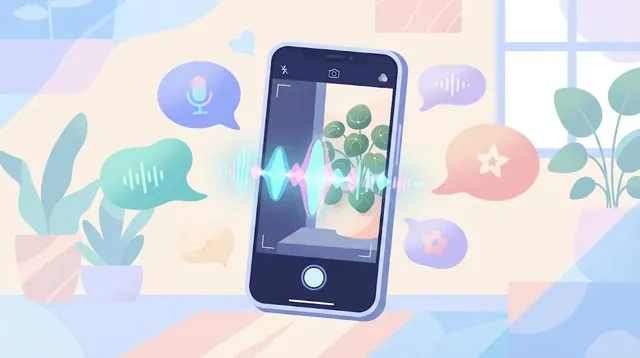
A separate OpenAI page covers voice with video. Once you are in a voice chat on your phone, you tap the camera icon to show ChatGPT what you are looking at, such as a broken appliance, a plant or a page of homework. To share your phone screen instead, you open the "..." menu and choose share screen.
Each voice chat keeps a full transcript, so you can scroll back later. To pick up where you left off, you tap the voice icon again in the same chat.
The voice-with-video page describes this as a mobile feature and lists it for Plus, Pro, Business, Enterprise and Edu. The pricing page also shows a check mark for voice with video on Go, so the two pages do not fully agree. If you are on Go and the camera icon matters to you, look for it in the app before you rely on it.
Voice by plan
The pricing page lists voice for every consumer plan, with different allowances. When we loaded it, the page did not display plan prices in a form we could read, so this table covers voice features only. Our ChatGPT plans explainer covers what each plan costs.
| Plan | Voice chats | Voice with video |
|---|---|---|
| Free | Limited | Not included |
| Go | More than Free | Check mark on pricing page; not listed on the feature page |
| Plus | Expanded | Included |
| Pro | Unlimited, subject to abuse guardrails | Included |
| Business, Enterprise, Edu | Not broken out on the consumer table | Listed as included on the feature page |
OpenAI does not publish a number of minutes or voice chats for Free, Go or Plus. "Limited" and "expanded" are the only words it uses. In practice that means you find your limit when the app tells you, not before. The pricing page also notes that Go may include ads.
Where voice works
Both feature pages are written around the mobile app: the steps refer to tapping icons, and voice with video is described as a phone feature. The voice page mentions the ChatGPT desktop app and a Remote feature for controlling the desktop app from your phone, but it does not say whether voice chats themselves run on the web or desktop. If you mostly use ChatGPT in a browser, assume the phone app is the main home for voice.
What the pages do not tell you
- Languages: OpenAI's voice page talks about language practice and translation but does not list supported languages.
- Exact caps: there are no published minute counts for any plan.
- Voice names: the page says you can choose between multiple voices but does not name them.
If privacy is a concern, voice chats produce transcripts like any other chat. Our guide to opting out of AI training explains the ChatGPT data controls, and our piece on how chatbot memory works covers what ChatGPT can remember between chats.
Which plan should you use for voice?
- Stay on Free if you only want the odd spoken question or a quick translation now and then.
- Consider Go or Plus if you use voice most days and keep hitting the Free limit. Plus is the safer pick if you want the camera and screen sharing, since every OpenAI page we checked lists it.
- Consider Pro only if voice is a daily work tool and you need the unlimited allowance. For most people it is far more plan than voice alone needs; see is ChatGPT Plus worth it before you upgrade.
Comparing chatbots with voice? Google's version is covered in our Gemini plans explainer, and every plan we track is in the AI tool price table.
FAQ
Is ChatGPT voice mode free?
Yes, in a limited form. The pricing page lists limited voice chats on the Free plan. OpenAI does not say how many minutes or chats that means.
Can ChatGPT see through my camera during voice chat?
Yes, on paid plans. In a voice chat on your phone, tap the camera icon to share what you see. OpenAI lists this for Plus, Pro, Business, Enterprise and Edu.
Can I share my screen with ChatGPT voice?
Yes. OpenAI's voice-with-video page says you open the "..." menu during a voice chat and choose share screen. It is described as a mobile feature.
Does ChatGPT Pro have unlimited voice?
The pricing page lists unlimited voice for Pro, with the note that use is subject to abuse guardrails.
Sources
- ChatGPT pricing (checked November 12, 2026)
- ChatGPT voice feature page (checked November 12, 2026)
- ChatGPT voice with video page (checked November 12, 2026)