Checked November 12, 2026 against clickup.com/pricing (US prices). This is a documentation-based explainer, not a hands-on test.
Quick verdict
No separate Brain fee anymore: ClickUp says every plan ships with ClickUp Brain² and a monthly AI credit allowance. What changes by plan is how much AI you get.
Best value for most teams: Business at $17 per user per month billed yearly adds unlimited Standard-model Brain chat (fair use) and 1,500 credits per user each month.
AI-heavy teams: Max at $100 per user per month billed yearly makes most AI features unlimited and adds 10,000 credits per user.
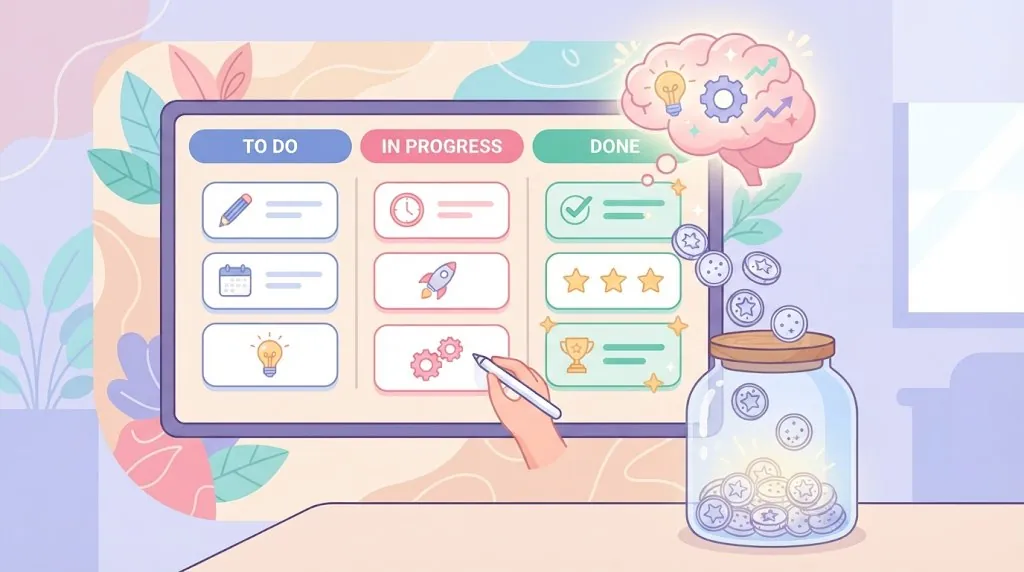
Illustration: AI Tool Audit, created with Google Gemini
On this page
How ClickUp prices AI now
ClickUp Brain is the AI built into ClickUp. The pricing page ties it to features such as AI Fields, AI Automations, an AI Notetaker and agents. On the current pricing page, Brain (now branded Brain²) isn't sold as a separate add-on. Instead, each plan includes two things:
- Model access. Brain² has Standard and Premium models. Lower plans only get a trial of Premium; higher plans get more Premium usage, and Business and up get unlimited Standard-model use, subject to fair usage.
- A pooled credit allowance. Credits pay for heavier AI features. They are pooled across the Workspace, so a light user's share can cover a heavy user.
When the pool runs low, ClickUp sells top-ups at $10 per 10,000 credits, and its example shows an auto top-up switch. Check that setting so you don't buy credits without meaning to.
Plans and AI allowances at a glance
| Plan | Price per user/month (billed yearly) | Listed regular price | Brain² models | Pooled AI credits |
|---|---|---|---|---|
| Free Forever | $0 | n/a | Trial | 500 per Workspace |
| Core | $9 | $12 | Trial of Premium models | 1,000 per user/month |
| Business | $17 | $25 | Premium models, unlimited Standard | 1,500 per user/month |
| Enterprise | Custom | Custom | Scaled Premium, unlimited Standard | 3,000 per user/month |
| Max | $100 | $120 | Maximum Premium usage | 10,000 per user/month |
ClickUp says yearly billing saves up to 33%. The page shows the regular price beside each yearly price; the monthly-billing figures weren't shown in the page text we checked.
What uses credits, and what's unlimited
This is the part that decides your real cost. ClickUp's table splits AI features into three groups.
| Feature group | Free, Core, Business | Enterprise | Max |
|---|---|---|---|
| Artifacts, video generation, Super Agents, Premium models | Credits | Credits | Credits |
| AI Fields, image generation, AI dashboard cards, AI Assign & Prioritize, AI Automations | Credits | Credits | Unlimited |
| AI Notetaker, SyncUp AI notes | Credits | Unlimited (fair use) | Unlimited |
In plain terms: if your team mostly chats with Brain and uses Standard models, Business covers that without counting. If you rely on AI Fields across thousands of tasks, or on agents that run on a schedule, credits will be the limit, and only Max removes the cap on the everyday automation features. Max also lists unlimited Autopilot Agents.
ClickUp's pricing page doesn't say whether unused credits roll over, or exactly what happens when the pool hits zero without top-ups. Ask before you rely on either.
Worked example: a 10-person team
Here is how the listed numbers add up for ten users on yearly billing. These are list prices only, before any taxes or discounts.
- Core: 10 x $9 = $90 a month, with a shared pool of 10,000 credits.
- Business: 10 x $17 = $170 a month, with 15,000 pooled credits and unlimited Standard-model Brain² use (fair use).
- Max: 10 x $100 = $1,000 a month, with 100,000 pooled credits and most everyday AI features unlimited.
The gap between Business and Max is $830 a month for this team. At $10 per 10,000 credits, that same money buys a lot of top-ups. So unless your team truly needs unlimited AI Fields, automations and notetaking, Business plus occasional top-ups is usually the cheaper route. Track a month of usage in Business before you upgrade.
Enterprise search and connected apps
Brain can search across connected apps. On Free, Core and Business, the pricing page lists private connections with 30, 60 and 90 days of history. Enterprise and Max include both Workspace-wide and private connections. If your team wants Brain to answer questions from connected tools across the company, that points to Enterprise or Max.
Other AI extras
- Certified Agents: custom-priced agents scoped to your team, offered as an add-on on Enterprise and Max.
- ClickUp Assist: two hours a month of one-to-one expert time. No price is listed.
- Fair billing: ClickUp's "Super Fair Billing" note says it subsidizes the cost when AI costs suddenly rise.
Which ClickUp plan should you choose for AI?
- Free: enough to try Brain² with a small 500-credit pool for the whole Workspace.
- Core ($9): for small teams who want project management first and light AI help.
- Business ($17): the sweet spot if Brain chat is the main AI use, since Standard models are unlimited (fair use).
- Enterprise (custom): for companies that need Workspace-wide search and unlimited meeting notes.
- Max ($100): for teams that run AI Fields, automations and agents all day and don't want to watch a credit meter.
Comparing workspace AI? See our Notion AI plans, our Microsoft 365 Copilot vs ChatGPT comparison, and our best AI tools for business guide. The AI tool price table lists every plan we track with its check date.
FAQ
Is ClickUp Brain free?
The Free Forever plan includes a ClickUp Brain² trial and 500 AI credits for the whole Workspace. Paid plans add more credits and model access.
Does ClickUp still sell Brain as an add-on?
Not on the current pricing page. ClickUp says every plan ships with Brain² and a monthly credit allowance. Extra credits cost $10 per 10,000.
What uses ClickUp AI credits?
Artifacts, video generation, Super Agents and Premium models use credits on every plan. AI Fields, image generation and AI automations use credits on all plans except Max.
Are ClickUp AI credits shared?
Yes. The pricing page describes credits as a pooled monthly allowance across the Workspace.
Sources
- ClickUp pricing and plans (checked November 12, 2026)