Checked November 12, 2026 against switch-bot.com (Matter page and Hub 3 product page, US prices). This is a documentation-based explainer, not a hands-on test.
Quick verdict
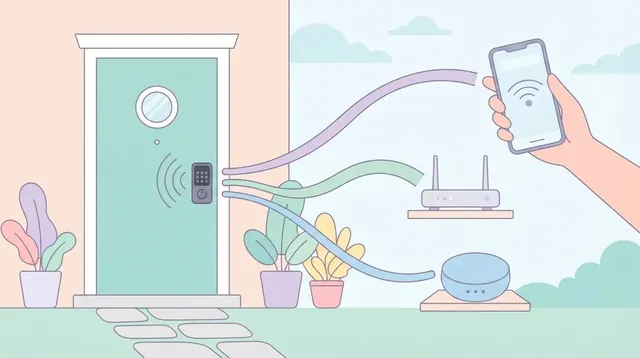
Most SwitchBot gadgets need a hub for Matter. Bluetooth devices like the Bot, Curtain 3 and locks reach Apple Home, Google Home, Alexa or SmartThings through a SwitchBot hub acting as a Matter bridge.
Hub size matters: SwitchBot lists 4 sub-devices for Hub Mini (Matter Enabled), 8 for Hub 2 and 30 for Hub 3 ($119.99).
Some devices skip the hub: SwitchBot's robot vacuums, air purifiers, some lights and the Lock Pro Matter Enabled use Matter over Wi-Fi directly.
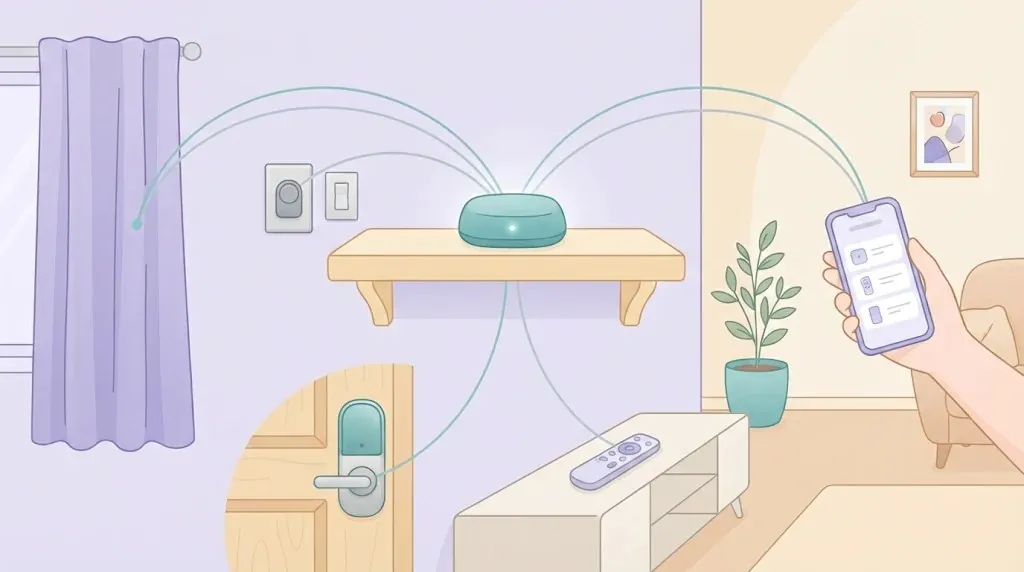
Illustration: AI Tool Audit, created with Google Gemini
On this page
Why SwitchBot needs a bridge
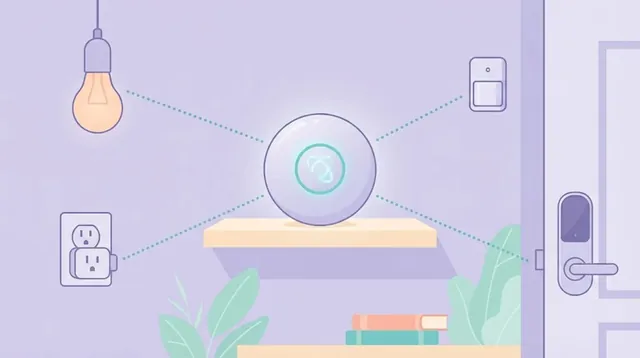
Many SwitchBot products are small, battery-powered Bluetooth gadgets: the Bot that presses a physical button, curtain motors, meters and locks. Bluetooth alone can't reach your home platform from across the house. A SwitchBot hub sits on your Wi-Fi, talks to those gadgets over Bluetooth, and presents them to Matter platforms as if they were Matter devices. That role is called a Matter bridge, and each bridged gadget counts as a "sub-device."
New to Matter? Our Matter explainer covers how bridges, controllers and devices fit together.
SwitchBot hubs and their Matter limits
SwitchBot's Matter page lists these bridge limits:
| Bridge device | What it can expose to Matter | Sub-device limit |
|---|---|---|
| Hub Mini (Matter Enabled) | Learned infrared devices | 4 |
| Hub 2 | Temperature, humidity, touch buttons (Apple Home only), IR learning | 8 |
| Hub 3 | Temperature, humidity, touch buttons, IR appliances, CO2 monitoring | 30 |
| Relay Switch 1, 1PM, 2PM; Garage Door Opener; Plug Mini (EU) | On/off control | 2 each |
| Video Doorbell | Security gateway for the Lock series | 1 |
The sub-device limit is the number to watch. If you own a lock, two curtain motors, a few Bots and some meters, a Hub Mini's four slots fill fast. SwitchBot also notes that grouping several curtains, blind tilts or roller shades in its app uses one sub-device per group.
SwitchBot Hub 3
SwitchBot lists the Hub 3 at US$119.99. Its product page highlights programmable scene buttons, a dial for fine-tuning lighting and temperature, and infrared support for older appliances such as TVs and air conditioners. SwitchBot says the Hub 3 can bridge its devices to Apple Home or Home Assistant. It can also control third-party Matter devices, with Hue and IKEA lights given as examples.
Because the Hub 3 can act as a Matter controller as well as a bridge, it can sit at the center of a small setup that mixes SwitchBot gadgets with other brands' Matter lights. The Hub 3's 30 sub-device limit is the main reason to choose it over the older hubs if you plan to bridge many gadgets.
Devices that don't need a hub
SwitchBot's Matter page lists products that use Matter over Wi-Fi natively:
- Robot vacuums: S10, K10+ Pro Combo, S20, K20+, K11+
- Air purifiers: Air Purifier and Air Purifier Table
- Lighting: Floor Lamp, RGBICWW Floor Lamp, LED Strip Light 3, RGBICWW Strip Light, RGBICWW Neon Rope Light, Candle Warmer Lamp
- Lock: Lock Pro Matter Enabled
These join Apple Home, Google Home and others directly. See our guide to robot vacuums with Matter for what Matter can and can't do for vacuums.
Platforms and caveats
SwitchBot names Apple Home, Google Home, Amazon Alexa, Home Assistant and SmartThings, and adds that Matter support "varies across platforms." A few limits from its Matter page:
- Some features are Apple-only. The Universal Remote and Remote Button work only through Apple Home, and Hub 2's touch buttons do too.
- You may need another hub. Hub 2 and Hub Mini Matter Enabled need a home gateway from your platform, such as a HomePod or Apple TV for Apple Home.
- Same network. Keep devices and gateways on the same home network. SwitchBot warns that adding over a public network may fail.
- SwitchBot devices only. The hubs bridge SwitchBot gadgets, not other brands' Bluetooth devices.
- IR support wording is inconsistent. One line on the Matter page says IR appliances work via Hub 2 and Hub Mini Matter Enabled, while the Hub 3 entry also lists IR. Check the current product page for the appliance you want to control.
For Apple Home, our Apple home hub guide explains which Apple devices can act as a hub. If you lean toward Home Assistant, read SmartThings vs Home Assistant vs Hubitat.
Which SwitchBot setup should you choose?
- One or two gadgets plus IR remotes: a Hub Mini (Matter Enabled) may be enough, within its 4 sub-device limit.
- A handful of gadgets and room sensing: Hub 2, with 8 sub-devices.
- A bigger SwitchBot setup or Home Assistant users: Hub 3, with 30 sub-devices, scene buttons and a dial.
- Only Wi-Fi Matter devices: skip the hub. SwitchBot's vacuums, purifiers, some lights and the Lock Pro Matter Enabled join directly.
We track smart home and AI subscriptions on our price table.
FAQ
Do I need a SwitchBot hub for Matter?
For Bluetooth devices like the Bot, Curtain 3 and locks, yes. SwitchBot says they need a Hub Mini Matter Enabled, Hub 2 or Hub 3. Some Wi-Fi products support Matter natively.
How many devices can a SwitchBot Hub 3 bridge?
SwitchBot's Matter page lists a 30 sub-device limit for Hub 3, compared with 8 for Hub 2 and 4 for Hub Mini (Matter Enabled).
Does SwitchBot work with Google Home and Alexa through Matter?
Yes. SwitchBot lists Google Home, Alexa, Apple Home, Home Assistant and SmartThings, but says supported features vary by platform.
Can a SwitchBot hub bridge other brands' devices?
No. SwitchBot says only its own devices work through its bridges. The Hub 3 can, however, control third-party Matter devices such as Hue lights.
Sources
- SwitchBot Matter page (checked November 12, 2026)
- SwitchBot Hub 3 product page (checked November 12, 2026)