Checked November 12, 2026 against learn.chatgpt.com (ChatGPT Help) and chatgpt.com/pricing. This is a documentation-based explainer, not a hands-on test.
Quick verdict
What they are: a ChatGPT project is a folder for related chats that share the same files, instructions and sources.
Who gets them: chatgpt.com/pricing lists Projects on Free, Go, Plus and Pro; Pro lists "expanded" projects.
When to use one: for work that continues over time, produces several outputs or depends on the same files. For a one-off question, a plain chat is simpler.
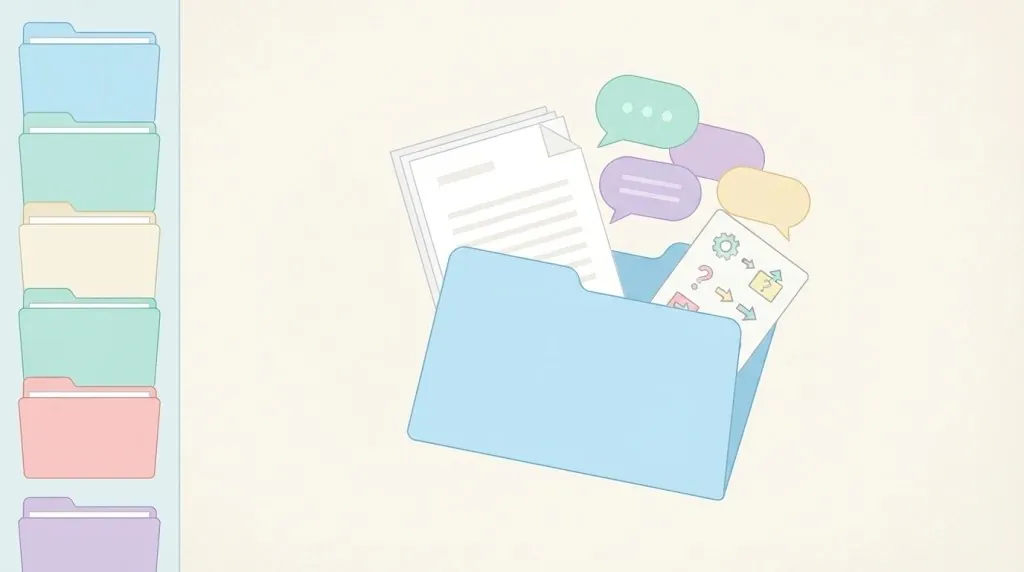
Illustration: AI Tool Audit, created with Google Gemini
On this page
What a ChatGPT project is
A project groups related chats with the files, instructions and sources they need. Instead of re-uploading the same brief or style guide every time you start a new chat, you add it to the project once. Every chat you start inside the project can then use it.
OpenAI's help docs describe two kinds of projects:
- ChatGPT projects carry uploaded files and context across chats. This is the kind most people use.
- Local projects live in the desktop app and connect to folders on your computer.
The parts of a project
| Part | What it does | Good to know |
|---|---|---|
| Instructions | Apply to every chat in the project | Use them for tone, audience, format or rules you always want followed |
| Sources | Hold uploaded files and connected context | A ChatGPT project can't see your computer's folders; upload or connect what it needs |
| Chats | Conversations that share the project's files and instructions | Start new chats from inside the project to get that shared context |
One detail trips people up: a file attached to a single chat applies only to that chat. If you want every chat in the project to see it, add it to the project's Sources instead.
When a project is worth it
OpenAI's guidance is simple. Use a project when the work will continue over time, produce more than one output, or depend on the same files and sources. Otherwise, start a normal chat.
Some examples that fit well:
- A long report. Keep the research files and outline in Sources, set instructions for tone and length, and use one chat per section.
- A job search. Store your resume and target roles, then start a separate chat for each cover letter.
- A class. Upload the syllabus and notes, and keep one chat per topic or assignment.
- A small business. Keep product details and brand voice in one place for emails, posts and FAQs.
The help docs also suggest starting a separate chat for each distinct outcome. Long chats that wander across topics are harder to search and reuse.
Organizing projects and chats
You can pin projects and chats so they stay at the top of the sidebar, rename chats, search chats with Cmd/Ctrl+K and archive chats. A project's menu lets you archive its chats in bulk. Archived chats can be restored from Settings. Pinning only changes where something sits in the sidebar; it doesn't change what context a chat can use.
Local projects in the desktop app
The desktop app adds local projects, which give chats access to one or more folders on your computer. From the project menu you choose Edit project, then add folders or mark one as primary.
This is powerful, so it helps to know the rules:
- ChatGPT can read and change files in every attached folder.
- New chats start in the primary folder, which also handles Git operations and automatic discovery of files such as
AGENTS.md. - Secondary folders support search, reading and editing, but project files there are not discovered automatically.
- Syncing a conversation does not upload or share the folder itself.
Treat local projects like giving a coding assistant access to your files. Only attach folders you are happy for it to edit, and keep a backup or use version control.
Which plans include Projects
| Plan | Projects listed on chatgpt.com/pricing |
|---|---|
| Free | Yes |
| Go | Yes |
| Plus | Yes ("Projects, scheduled tasks, and custom GPTs") |
| Pro | Yes ("Expanded projects, tasks, and custom GPTs") |
| Business and Enterprise | Not mentioned in the page content we could load |
The official pages we could load did not state per-plan limits such as how many files a project can hold, and OpenAI's main help center blocked our checks. If file limits matter, check the help panel inside ChatGPT on your plan. For plan prices, see our ChatGPT plans explainer.
Projects vs memory
Projects and memory are easy to mix up. A project's context comes from what you put into it: its instructions and its Sources. It is scoped to that project's chats. Memory is a separate feature that carries what ChatGPT learns about you across conversations. Our guide to memory in ChatGPT, Claude and Gemini explains how that side works. If you want something applied every time in one area of work, put it in project instructions rather than hoping memory picks it up.
If you use Claude too, Anthropic lists Projects on its Pro, Max and Ultra plans; our Claude plans explainer covers the details.
Quick tips
- Write short, clear project instructions. Put rules you always want followed there, not in each chat.
- Keep Sources tidy. Remove outdated drafts so ChatGPT doesn't mix old and new versions.
- Name chats by outcome ("Q3 summary email") so search finds them later.
- Archive finished chats instead of deleting them if you might need them again.
Weighing whether a paid plan is worth it for this kind of work? Read Is ChatGPT Plus worth it? and check the AI tool price table.
FAQ
Are ChatGPT Projects free?
Yes. ChatGPT's pricing page lists Projects on the Free plan, as well as on Go, Plus and Pro.
Do files in a project apply to every chat?
Files added to the project's Sources apply across its chats. A file attached to one chat applies only to that chat.
Can ChatGPT projects read files on my computer?
A standard ChatGPT project cannot. Local projects in the desktop app can read and change files in folders you attach.
Do project instructions apply to all chats?
Yes. OpenAI's help docs say project instructions apply across the project's chats.
Sources
- ChatGPT Help: Projects and chats (checked November 12, 2026)
- ChatGPT pricing (checked November 12, 2026)