Checked November 12, 2026 against vidiq.com/pricing, tubebuddy.com/pricing, opus.pro/pricing and YouTube Help (US prices). This is a documentation-based guide, not a hands-on test.
Quick verdict
Start free: YouTube's own automatic dubbing costs nothing extra on the help page, and vidIQ Free gives 150 AI credits a month for ideas and trend research.
Growing channel: vidIQ Boost is $19 a month or $199 a year and adds thumbnail creation and unlimited trend research.
Turning long videos into Shorts: OpusClip Starter is $15 a month and removes the watermark; Pro at $29 adds wider and square reframing.

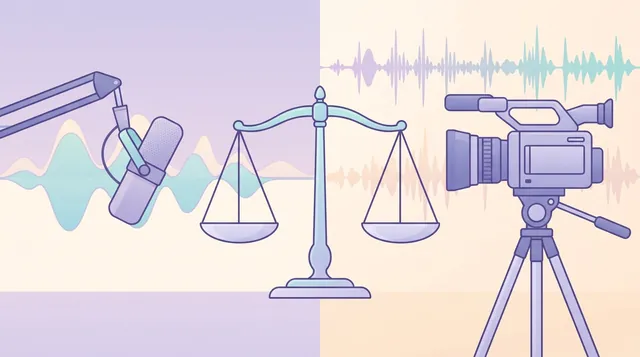
Illustration: AI Tool Audit, created with Google Gemini
On this page
What a YouTuber actually needs from AI
Most channels hit the same four jobs: finding video ideas people search for, writing titles and tags, cutting long videos into Shorts, and reaching viewers who speak other languages. No single tool does all four well. The table below maps each job to a tool and to what its official page says it costs.
| Job | Tool | Cheapest paid option (US) | Free option |
|---|---|---|---|
| Ideas, trends, AI coaching | vidIQ | Boost: $19/month or $199/year | Free: 150 AI credits/month |
| Titles, A/B tests, channel tools | TubeBuddy | Prices did not display on the page | Not shown on the pricing page |
| Long video to Shorts | OpusClip | Starter: $15/month | Free, with watermark on caption templates |
| Other languages | YouTube automatic dubbing | No cost mentioned | On by default for eligible creators |
vidIQ: ideas and an AI coach
vidIQ prices one channel per plan. The Free plan includes 150 AI credits a month, niche trend insights, data-backed content ideas and AI Coach growth tips. It also lists a vidIQ MCP connector, so you can plug vidIQ data into Claude or ChatGPT.
Boost costs $19 a month or $199 a year, which the plan card shows as $16.58 a month. It includes 2,000 AI credits a month, with 2,500 and 3,000 credit tiers offered. Boost adds unlimited trend research, personalized video ideas, a deeper AI Coach, thumbnail creation, optimization tools and unlimited subscriber insights.
MAX costs $49 a month or $468 a year ($39 a month on the annual card). It includes 6,000 AI credits a month, with 8,000 and 10,000 tiers. vidIQ lists up to three times more AI Coach conversations, a "Max Mode" AI and up to 11 hours of short clipping and generations. Teams with more than three channels are pointed to Enterprise, which has no listed price.
The credit counts matter more than the feature list. If you only check ideas once a week, Free may be enough. If you plan to make thumbnails and clips inside vidIQ, look at Boost or MAX.
TubeBuddy: channel tools and testing
TubeBuddy sells Pro, Legend and Enterprise plans. When we checked, the Pro and Legend price fields on the pricing page did not fill in, so we can't quote dollar amounts. The page does say yearly billing saves 20%, and Enterprise is custom priced.
From the comparison table, the Title Generator and A/B Testing appear on Legend and Enterprise, not Pro. Pro gets limited access to Next Video Ideas and a limited Thumbnail Analyzer. Enterprise adds "Advanced AI Analytics." Check the price at checkout before you commit, because the page itself didn't show it.
OpusClip: long videos into Shorts
OpusClip finds short moments in a long video and reframes them for vertical feeds. Its pricing page lists:
- Free: $0. AI clipping based on spoken words, 9:16 reframing only, and animated caption templates with a watermark. The page says you can post one clip a day for free.
- Starter: $15 a month. Watermark-free export, a virality score, and direct posting to YouTube Shorts, TikTok and Instagram.
- Pro: $29 a month. Clipping that also reads visual objects, sound and emotion; reframing to 9:16, 1:1 and 16:9; custom caption fonts; more social networks; and a scheduler.
- Business: custom pricing.
The page lists monthly prices only. It doesn't state annual prices or a monthly minute allowance per plan, so check usage limits in the sign-up flow. Starter and Pro both include automatic import from a verified YouTube account.
YouTube automatic dubbing: free reach in other languages
YouTube Help says automatic dubbing is "enabled by default for eligible creators." If your channel doesn't have it, you may be able to turn on early access in Advanced settings. The help page doesn't mention any cost.
There are limits. Videos over 120 minutes, videos with little speech, fast speech, an unsupported source language or copyright claims may not be dubbed. English videos can be dubbed into many languages, such as Spanish, Japanese, Korean and Arabic. Many other source languages only get English dubs. Some languages support expressive speech that copies the original pitch and tone.
You stay in control. You can switch to manual publishing to review dubs first, and you can unpublish or delete dubs in YouTube Studio on a computer. You can't edit a dub directly. If a translation is wrong, YouTube says to fix the video's original language setting so the dub is regenerated.
Which should you choose?
- New channel, no budget: vidIQ Free for ideas, OpusClip Free for a daily Short, and YouTube's own dubbing.
- Posting weekly and want growth help: vidIQ Boost. It covers ideas, thumbnails and optimization in one bill.
- Podcast or long-form channel: OpusClip Starter, or Pro if you also post square or wide clips to LinkedIn and X.
- You want title A/B tests: TubeBuddy Legend, once you confirm the price at checkout.
If you edit your own videos, our Descript plans explainer covers text-based editing. For generating footage, see our AI video generators guide, and for voiceovers, our AI voice generators guide. Every plan we track is in the AI tool price table.
FAQ
Is YouTube automatic dubbing free?
YouTube's help page doesn't mention any cost. It says the feature is on by default for eligible creators, with limits on video length, speech and languages.
How much is vidIQ?
vidIQ Free is $0 with 150 AI credits a month. Boost is $19 a month or $199 a year, and MAX is $49 a month or $468 a year, each for one channel.
Does OpusClip's free plan add a watermark?
Yes, on animated caption templates. Starter at $15 a month and Pro at $29 a month list watermark-free exports.
Which TubeBuddy plan has A/B testing?
The comparison table shows A/B Testing and the Title Generator on Legend and Enterprise, not on Pro.
Sources
- vidIQ pricing (checked November 12, 2026)
- TubeBuddy pricing (checked November 12, 2026)
- OpusClip pricing (checked November 12, 2026)
- YouTube Help: Use automatic dubbing (checked November 12, 2026)